Showing posts with label Security. Show all posts

Comodo - Free and Speedy Antivirus


Introducing Comodo Free Antivirus system. Comodo Antivirus is the free way to rid your computer of viruses, malware, Trojans, worms, hackers, and other Internet threats. Scan any drive or file. Get in-depth reports on viral activity. Detect suspicious files that behave like viruses do. Even scan compressed .zip files, where viruses often hide.

The latest version sees a major leap forward in security and usability with the addition of cloud based virus-scanning and behavior analysis of unrecognized files - making Comodo Antivirus unbeatable at detecting zero-day attacks.

Under default settings, unknown and untrusted files are automatically scanned by our cloud-based virus scanners then, while the file undergoes behavior analysis on our cloud server, it is run in a sandbox on your local machine so that it cannot modify or affect data on your 'real' system.

Put simply, this ground-breaking, default-deny, protection of your PC means that only trusted applications are allowed to run on your computer. Malware and untrusted files get nowhere near anything important AND you get to use your computer without interruption from nagging alerts.

Comodo Antivirus also includes a mechanism for you to submit any files you think are suspicious to Comodo for analysis. Is it a new virus? Have any other users submitted it? Or has it already been declared PC-friendly and landed on the white-list? Comodo Antivirus is the intelligent virus defense system that offers multiple layers of hi-tech protection against known and unknown threats. It includes free automatic updates for the latest in antivirus coverage and provides real protection at no cost.

  • Features

    • Detects, blocks, and destroys viruses
    • Immediate feedback on suspicious files
    • Prevents malware from being installed
    • Auto Sandbox Technology™
    • Cloud based Antivirus scanning
    • Protects with On Access scanning
    • Schedule your scans
    • 60 Days of FREE GeekBuddy live remote PC support

    Download Free
    Enjoy! Please click on my ads as token of appreciation. Thank you.

    Online Armor Free - Best Free Firewall

    Online Armor protects you when you're online, but it doesn't do it by checking the names of bad guys off a list. Instead, it offers a number of different layers of protection, starting with only allowing programs to run that you give permission. So, if you go to a dangerous website, something won't just start silently running.

    Online Armor's new personal firewall provides awesome protection from inbound threats and complete control of data leaving your computer for the internet. In standard mode, most decisions are made completely automatically based on Online Armor's whitelist - meaning that you never need answer a complex firewall prompt again.

    However Online Armor is not just a firewall program. It is a full security suite of programs to help protect your machine.

    Main Features:
    - Keylogger Detection
    - Mail Filter
    - Web Filter
    - Spam Shield
    - Cookie Cutter
    - Trusted Sites
    - Untrusted Sites
    - Prevent Spyware
    - Remove Spyware
    - Settings Monitor
    - IE Extensions
    - DNS Checker
    - Hosts Checker
    - Firewall
    - Firewall Leak Tests
    - Worm Protection
    - Termination Protection
    - Trojan Protection
    - Autoruns Management

    Download Free

    Enjoy! Please click on my ads as token of appreciation. Thank you.

    ClamWin - Open source security for your PC


    ClamWin is a Free Antivirus program for Microsoft Windows 7 / Vista / XP / Me / 2000 / 98 and Windows Server 2008 and 2003.
    ClamWin Free Antivirus is used by more than 600,000 users worldwide on a daily basis. It comes with an easy installer and open source code. You may download and use it absolutely free of charge. It features:
    • High detection rates for viruses and spyware;
    • Scanning Scheduler;
    • Automatic downloads of regularly updated Virus Database.
    • Standalone virus scanner and right-click menu integration to Microsoft Windows Explorer;
    • Addin to Microsoft Outlook to remove virus-infected attachments automatically.
    Please note that ClamWin Free Antivirus does not include an on-access real-time scanner. You need to manually scan a file in order to detect a virus or spyware.

    Download

    Enjoy! Please click on my ads as token of appreciation. Thank you.

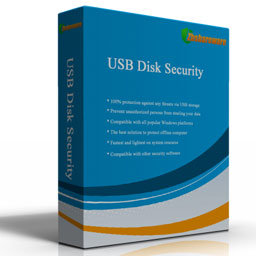
    USB Disk Security - 100% protection against any virus via USB drive

    Introducing this really lightweight yet powerful security software. USB Disk Security is the best software to block threats that can damage your PC or compromise your personal information from USB storage.
    Benefits and Features

    Block known and unknown threats from removable media
    Best solution to protect offline computer
    Fastest and lightest security software
    Compatible with other security software
    Compatible with all Windows platforms
    Very easy to use
    Free upgrades


    Product Highlights

    100% protection against any malicious programs via USB drive
    USB Disk Security uses innovative technology to block known and unknown threats via USB drive. It supports USB drive, flash disk, secure digital card, thumb drive, pen drive, removable storage, ipod, and more.

    The best solution to protect offline computer
    Other antivirus software should update virus database regularly, and they cannot effectively protect offline computers that are not connected to the Internet. When new viruses, worms and other malicious attacks strike, traditional signatures are insufficient. Every minute one waits for a virus signature update creates a window of vulnerability that could have devastating consequences. USB Disk Security uses advanced proactive detection techniques, and closes the window of vulnerability left open by other reactive, signature-based responses.

    The world's fastest and lightest antivirus software
    With USB Disk Security, it's not necessary to sacrifice speed for detection and scanning. Compare antivirus software and you'll discover that USB Disk Security is by far one of the lightest applications in the industry. For example, the program utilizes approximately 1 to 7 MB of RAM.

    Compatible with all antivirus software and all Windows platforms
    Incompatibility between antivirus programs is an issue; However, USB Disk Security is fully compatible with other security software.

    Simple to use
    USB Disk Security has been specifically designed to perform effectively regardless of the user's level of computer expertise. Just install and forget it.

    Free updates
    Other antivirus products should be paid for updates every year. The USB Disk Security keys are lifetime. You receive all future program updates free of charge.

    Download + key

    Installation instruction
    1. Install the software
    2. Open the software and Enter the register key
    3. Terminate/close the software
    4. Open the software again, It is registered now!

    Enjoy! Please click on my ads as token of appreciation. Thank you.

    Avira AntiVir Personal - Best Free Antivirus


    Avira AntiVir Personal FREE Antivirus was developed to be a reliable free antivirus solution, that constantly and rapidly scans your computer for malicious programs such as viruses, Trojans, backdoor programs, hoaxes, worms, dialers etc. Monitors every action executed by the user or the operating system and reacts promptly when a malicious program is detected.

    Avira AntiVir Personal is a comprehensive, easy to use antivirus program, designed to offer reliable free of charge virus protection to home-users, for personal use only, and is not for business or commercial use.

    Avira AntiVir Personal gives you the following functions:
    • Control Center for monitoring, administering and controlling the entire program
    • Central configuration with user-friendly standard and advanced options and context-sensitive help
    • Scanner (On-Demand Scan) with profile-controlled and configurable search for all known types of virus and malware
    • Integration into the Windows Vista User Account Control allows you to carry out tasks requiring administrator rights
    • Guard (On-Access Scan) for continuous monitoring of all file access attempts
    • Integrated quarantine management to isolate and process suspicious files
    • Rootkit protection for detecting hidden malware installed in your computer system (rootkits) (Only for 32-bit systems)
    • Direct access to detailed information on the detected viruses and malware via the Internet
    • Simple and quick updates to the program, virus definitions, and search engine through Single File Update and incremental VDF updates via a webserver on the Internet
    • Integrated Scheduler to plan one-off or recurring tasks, such as updates or test runs
    • Very high rates of virus and malware detection using innovative search technologies (search engines) and heuristic search processes
    • Detection of all common archive types, including detection of nested archives and smart extensions
    • High-performance multithreading function (simultaneous high-speed scanning of multiple files)
    NOTE:
    Avira AntiVir Personal is free for personal use only.

    Download

    Enjoy! Click on my ads if you want to thx. Thank you.

    Sandboxie


    Sandboxie is a small utility that isolates and runs programs in a "sandbox" so program data, rogue scripts, trojans or viruses cannot access your computer (they are trapped in the "sandbox" until you approve or delete them).

     
    The red arrows indicate changes flowing from a running program into your computer. The box labeled Hard disk (no sandbox) shows changes by a program running normally. The box labeled Hard disk (with sandbox) shows changes by a program running under Sandboxie. The animation illustrates that Sandboxie is able to intercept the changes and isolate them within a sandbox, depicted as a yellow rectangle. It also illustrates that grouping the changes together makes it easy to delete all of them at once.


    This is an excellent, if somewhat novel, way to protect your computer against outside attack. By opening programs, like your Web browser, in Sandboxie those programs run in a protected state, working normally except that data cannot be written to your computer (except to the protected "sandbox").

    This means, for example, you could run a game and not have the high scores recorded, or you could run your Web browser and not have the cookies saved.


    More importantly, it acts as a barrier against malicious activity, trapping backdoor-type programs and preventing them from accessing your computer.

    For example, when you want to install and try a new software, you can open the setup in sandboxie. All the installation will happen only in sandbox. In the end, if you are not satisfied with the new software, you can just delete the sandbox content and it will not leave any trace.

    Highly recommended for software tester.

    Download - support win 2k ~ win 7 ; 32bit or 64bit
    Please check on the tutorial on official website if you don't know how to use it.

    Enjoy! Click on my ads if you want to thx. Thank you!

    HijackThis

    Trend Micro HijackThis is a free utility that generates an in depth report of registry and file settings from your computer. HijackThis makes no separation between safe and unsafe settings in its scan results giving you the ability to selectively remove items from your machine. In addition to this scan and remove capability HijackThis comes with several tools useful in manually removing malware from a computer.

    IMPORTANT: HijackThis does not determine what is good or bad. Do not make any changes to your computer settings unless you are an expert computer user.

    Advanced users can use HijackThis to remove unwanted settings or files.

    How to use?
    To analyze your computer, start HijackThis and run a scan. See the Quick Start Guide [link to Quick Start, FAQs and Feedback] for help in running a scan. HijackThis will display a list of areas on your computer that might have been changed by spyware. Do not change any settings if you are unsure of what to do. There are many popular support forums on the web that provide free technical assistance by using HijackThis log files to diagnose an infected computer.

    Not an expert? Just save the HijackThis report and let a friend with more troubleshooting experience take a look. A large community of users participates in online forums, where experts help interpret HijackThis scan results to clean up infected computers.

    Download Free

    Enjoy! Click on my ads if you want to thx. Thank you.

    Agnitum Outpost Security Suite Free


    Introducing OutPost Security Suite Free edition by Agnitum. Agnitum is the first security vendor to deliver a fully functional free version of an Internet security suite for Windows users. Outpost Security Suite FREE 7.0 builds on the acclaimed antivirus, firewall and proactive protection technologies. The free solution employs modern techniques to prevent infections, data corruption and PC intrusions.


    Outpost Security Suite Free give you,
    • Free anti-virus
    • Free firewall
    • Free anti-spam
    • Free proactive protection
    • Free update services
    • Lightweight protection
    • Free cloud computing services
    • Solution from Internet security experts with 10+ years’ experience
    • Technology honored with 40+ awards

    System & hardware requirements:
    32- and 64-bit Windows 7, Vista, XP,
    450 MHz CPU (x86-/x64-/multi-core),
    256 MB RAM, 200 MB free disk space.
     
    Download Free

    Enjoy! Click on my ads if you want to thx. Thank you!

    Note: There are another "Outpost Security Suite PRO" version with addition features which is not FREE.

    Spybot - Search & Destroy


    Introducing Spybot - Search & Destroy, this is a totally FREE anti spyware utilities. Spybot - Search & Destroy detects and removes spyware, a relatively new kind of threat not yet covered by common anti-virus applications. Spyware silently tracks your surfing behaviour to create a marketing profile for you that is transmitted without your knowledge to the compilers and sold to advertising companies. If you see new toolbars in your Internet Explorer that you haven't intentionally installed, if your browser crashes inexplicably, or if your home page has been "hijacked" (or changed without your knowledge), your computer is most probably infected with spyware. Even if you don't see the symptoms, your computer may be infected, because more and more spyware is emerging. Spybot-S&D is free, so there's no harm giving it a try to see if something has invaded your computer.


    To see a list of threats Spybot-S&D can remove, in the navigation bar at the left click on Support --> Threats. For an introduction to Spybot-S&D, please read the tutorial. If you fear incompatibility with other software you are now using, although we can assure you that there is no danger you can review our compatibility overview which lists some software whose compatibility has been analyzed.

    Spybot-S&D can also clean usage tracks, an interesting function if you share your computer with other users and don't want them to see what you have been working on. And for professional users, Spybot-S&D allows you to fix some registry inconsistencies and extended reports.

    Download - version 1.6.2

    Enjoy! Click on my ads if you want to thx. Thank you!

    My Lockbox

    Introducing My Lockbox by FSPRO lab. This software enable you to lock and protect your folder from other user. Extremely user friendly interface and easy to use. During the installation of My Lockbox, you will be asked to provide the location of the protected folder. On completion of the installation, your folder will become hidden and locked. Best of all, it is free. Optional to upgrade which enables you to protect any number of folders.

    Features :
    • Extremely easy in use.
    • Hotkey to open Control Panel with a simple keystroke.
    • Effective password protection.
    • FAT, FAT32, NTFS volumes are supported.
    • Supports all modern Windows operating systems (XP, Vista, 7) including 64-bit editions.
    • Almost any folder on your computer can be password protected.
    • Prevents you from locking system-critical folders, e.g. C:\Windows.
    • Instant protection - no file scrambling or moving to another place.
    • Trusted processes feature lets backup, antivirus or similar software to backup or scan your protected folder.
    • Protects folders even in Windows safe mode.
    • Skinned user interface.
    • Freeware *
    * Can be upgraded to My Lockbox Professional edition which enables you to protect any number of folders.

    Download

    Enjoy! Click on my ads if you want to thx. Thank you!
    Related Posts Plugin for WordPress, Blogger...